
Generally, as a unit moves from one hex to another, it expends a movement point for each hex it enters. Certain hexes and hexsides cost extra movement points to enter or traverse, and some terrain may reduce or negate the cost for the terrain in a hex or hexside. See the Terrain Effect Chart (TEC) for specifics.
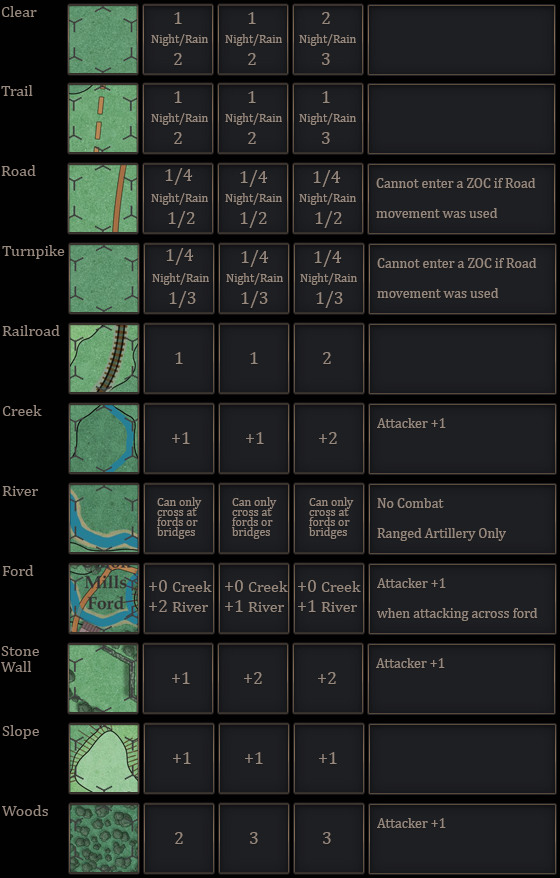
The movement points available to each unit vary by type:
Infantry/Dismounted Cavalry………………………………………… 5
Artillery………………………………………………………………………….. 5
Mounted Cavalry…………………………………………………………… 8
Horse Artillery……………………………………………………………….. 8
Commanders ………………………………………………………………… 8
- Units may move through friendly units at no cost in movement points and in excess of stacking limits.
- Artillery must be limbered to move. It may be unlimbered at the end of its movement.
- Cavalry may change its mode between mounted and dismounted during the movement phase. It may: – Mount or dismount, then move, or… – Move, the mount or dismount.
It may not both mount and dismount in the same movement phase. When it moves, it does so at the rate of its current mode.
Types of Movement #
A player can choose to move just one unit, a stack of units or even the whole brigade
Moving a single Unit #
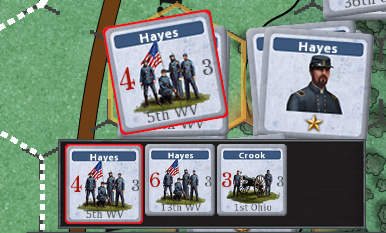
By clicking on a hex containing your units, the top unit will be selected for movement. The selected unit will have a red outline. The bottom display shows all the units in that stack.
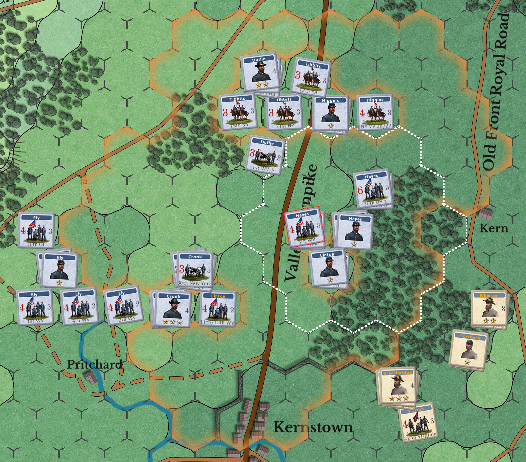
Hexes within movement range are contained within the orange border.
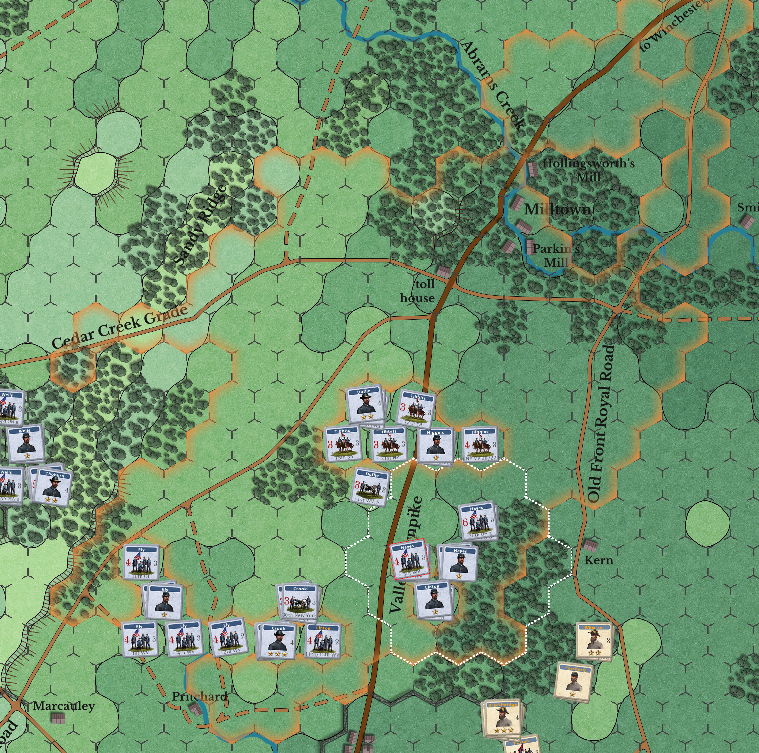
If you then change the mode to Road movement, you will see the orange border change to reflect that
Moving a stack #
To move all units in a stack, first click on the hex containing the units, and then click on the select stack button

All hexes that ALL units in the stack can reach will be shown.
Moving an entire Brigade #
To move an entire brigade, you must first select the brigade leader. All units belonging to the brigade will be outlined
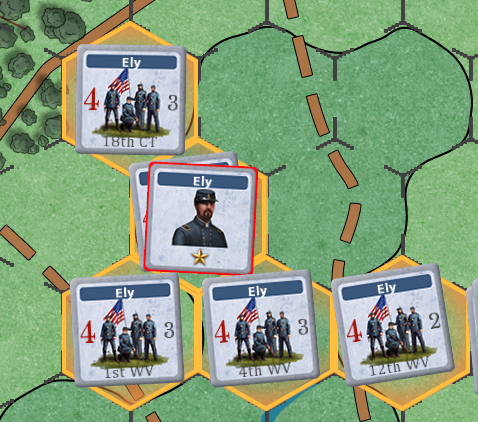
Then click on the move brigade button, and all hexes within the range of ALL units of the brigade will be shown. If possible, the brigade will use road movement.

The computer will try to find the best route for all units in the brigade. It is recommended that you use brigade movement only when you want to move a brigade in a general direction. For more refined movement its better to move stacks or individual units.
Moving Leaders #
Leaders must always be stacked with a non-leader unit.
When selecting a leader for movement, only hexes occupied by units within his command structure and range will be shown
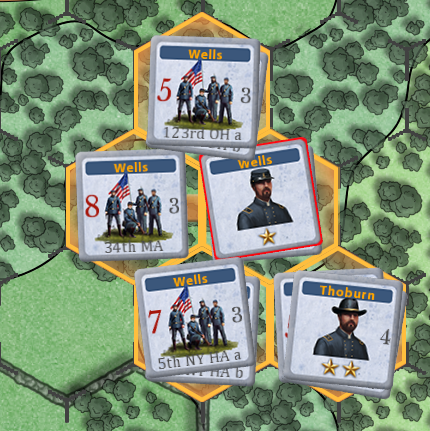
Should you leave a leader/s alone in a hex, you will be warned at the end of the movement phase that they will be automatically moved for you.


