
A unit that is in a ZOC must initiate combat against one or more of the units it is adjacent to. Alternatively, they may withdraw from the combat.
When in the combat phase, you will see enemy hexes that must be attacked, indicated by a flashing red star shape. Units that can attack will be outlined in yellow
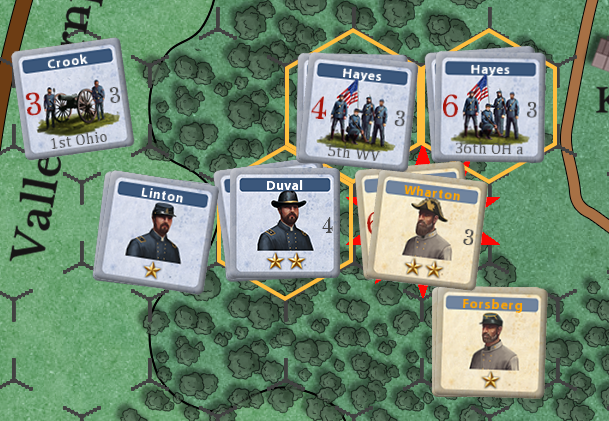
In this example, the Confederate stack Wharton must be attacked in the combat phase. The 3 hexes outlined in yellow are available to attack it.
Of the units stacked together in a hex, a maximum of 8 infantry or cavalry SP will be used to attack or defend, plus up to 10 SP of artillery in the hex; but all units in a hex must abide by combat results even if their SPs weren’t counted in the combat.
A stack is considered a single unit in that it cannot split its attack or defense against multiple hexes. Combat must be determined as if there were single units in each hex, and all enemy units in a friendly ZOC must be attacked.
To initiate combat, left mouse click on a defender’s hex that is available to be attacked.
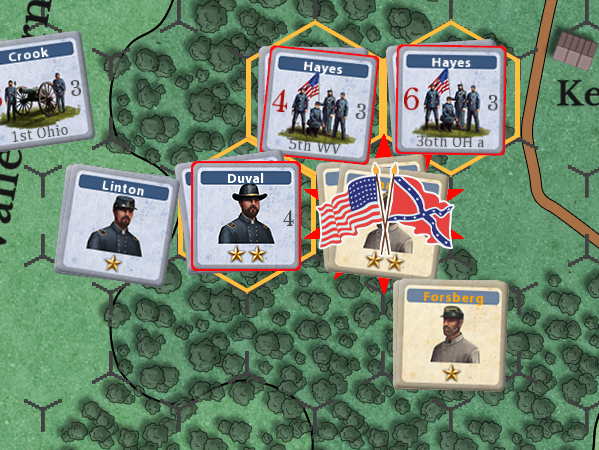
In this example, the player clicked on the Confederate hex. A Union/Confederate flag will be displayed over the hex to indicate that combat can start. The 3 Union hexes will start to flash to indicate they are available to attack with
Select the hexes you wish to attack from by left mouse clicking on them. The selected hexes will be marked with 2 red crossed rifles
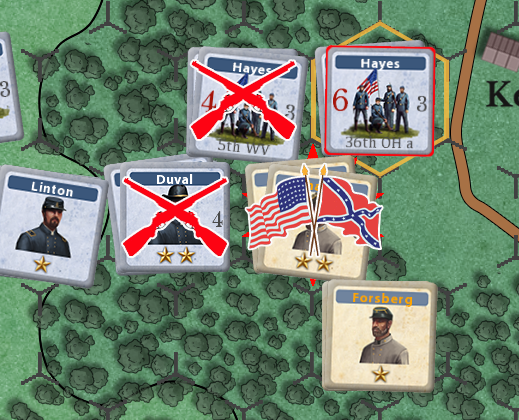
In this example, the Union player has selected 2 of the 3 possible hexes to attack from,
As you add/remove hexes to attack, a combat popup will appear showing the odds and other details
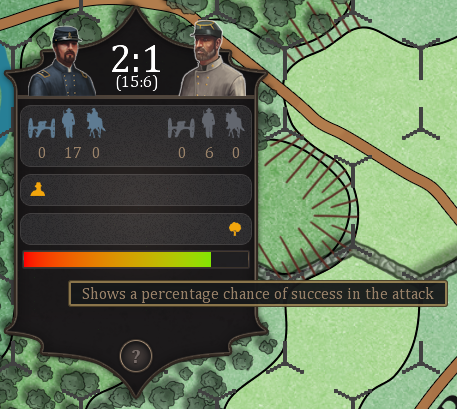
The Union has odds of 2:1.
While they are attacking with a total of 17 strength points, only a maximum of 8 strength per hex can be used. In this example, one attacking hex has 7 strength points, and the other has 10 strength points, which is reduced to 8 (being the maximum that can attack), giving 15 strength points v 6 defending strength points.
The attacking Union receives a bonus when its commander has a command rating of 4. The defenders get a bonus for being in a woods hex.
The colored bar gives you an idea of the likelihood of a successful attack.
Clicking on the question mark at the bottom of the combat display will show you possible results from the combat.
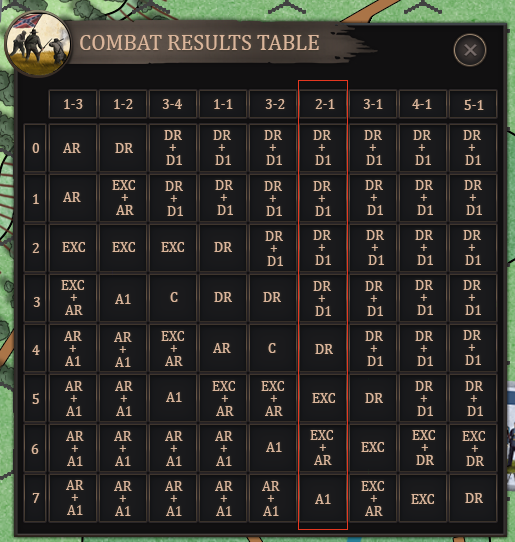
In this example, the odds are 2-1 as outlined in red.
Combat Modifiers #
The DRM table on the player-aid card presents all DRMs available to the attacker and defender. The final die result is always the cumulative total of both attackers’ and defenders’ DRMs.
Example: A stack of regiments defending in breastworks is attacked by two stacks of units separated by one hex (flanking attack), they are on a higher elevation, but one stack is disorganized, and they have a commander with a command value of 5 stacked with them. The total DRMs are -1 for a flanking attack, -1 for elevation favorable to the attacker, -1 for the commander, +1 for disorganization, and +1 for breastworks. The total result is -1-1-1+1+1 or a -1 net DRM for this combat.
Elimination Priority #
- When a stack is required to take losses, because of CRT, the loss must first be a unit with a Cohesion Rating (CR) the same as was used in the combat. In an EXC, the defender will lose a unit in the stack with the requisite CR to lose, the attacker will lose units whose strength points at least match those lost by the defender, and the first unit must have a CR matching what was used in the combat. If additional units must be taken to at least match the defender’s losses, their CR may be different.
Any stack that suffers an adverse combat result (elimination or retreat) by artillery fire, cavalry charge, or regular combat must roll for each commander in the hex above 1 star to determine if any become casualties. On a roll of 1, the commander is considered a casualty and is flipped to their replacement side. Replacement commanders cannot be eliminated. A leader’s elimination may change who is considered the “army commander” for initiative determination


